
Stop Order — Definition | runic.tools
Definition
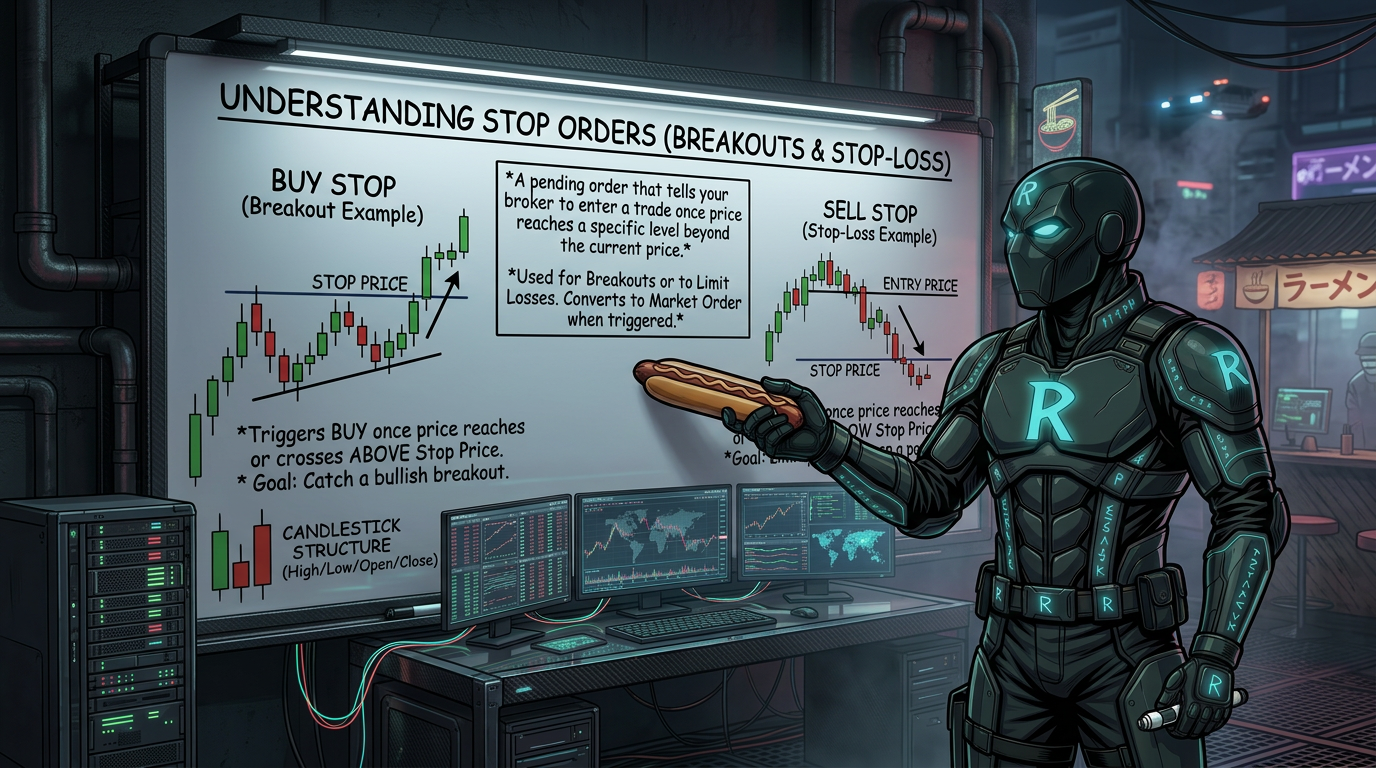
A stop order is a pending order that tells your broker to enter a trade once price reaches a specific level beyond the current price. It is commonly used for breakout strategies where you expect price to keep moving in the same direction after hitting that level.
Explanation
There are five main order types in platforms like MT4: market order, buy stop, sell stop, buy limit, and sell limit. A market order fills immediately at the current price. Stop orders are different — they are set in the future and only trigger when price reaches your chosen level. A buy stop is placed above the current price. You use it when you think price will break through a resistance level and keep going up. A sell stop is placed below the current price. You use it when you think price will break through a support level and keep falling. Stop orders are popular for breakout trading because you do not have to watch the screen all day. You set your entry point in advance and let the market come to you. Buy limits and sell limits work differently — those are used when you expect price to reverse at a level, not continue through it.
Example
Price is trading at $1.2000 and there is strong resistance at $1.2050. A trader places a buy stop at $1.2055, expecting a breakout. When price hits $1.2055, the trade opens automatically.
Why It Matters
Stop orders let traders plan entries around key price levels without having to watch the market constantly. They are essential for breakout strategies and help traders act on their plan instead of reacting emotionally in the moment.
Common Misconceptions
Reality: A stop order is used to enter a trade. A stop-loss is used to exit a trade and limit your losses. They both use the word stop but serve opposite purposes.
Reality: A buy stop means you think price will continue going up once it breaks through a level. If you expect a bounce from a lower level, that would be a buy limit instead.
Reality: In fast-moving markets, slippage can occur and your order may fill at a slightly different price than you set.
Frequently Asked Questions
What is a stop order in trading?
A stop order is a pending order you set in advance. It only opens a trade when price reaches a specific level. It is used when you expect price to keep moving in the same direction after hitting that level.
What is the difference between a buy stop and a sell stop?
A buy stop is placed above the current price. You use it when you expect price to break up through a resistance level and keep rising. A sell stop is placed below the current price. You use it when you expect price to break down through a support level and keep falling.
What is the difference between a stop order and a limit order?
A stop order is used for breakouts. You expect price to keep going in the same direction after hitting your level. A limit order is used for reversals. You expect price to bounce back the other way after reaching your level.
Is a stop order the same as a stop-loss?
No. A stop order is used to enter a trade. A stop-loss is used to exit a trade and protect you from large losses. Both use the word stop, but they do different jobs.
When should I use a buy stop instead of a market order?
Use a buy stop when you do not want to enter the market right now, but you will want to enter if price breaks above a certain level. It lets you plan your trade in advance without watching the screen.
Can a stop order fill at a different price than I set?
Yes, this is called slippage. In fast or volatile markets, your order might fill slightly above or below your target price. It is usually small, but it can happen.
What platform can I use to place stop orders?
Most trading platforms support stop orders, including MetaTrader 4 (MT4), MetaTrader 5 (MT5), TradingView, and most broker apps. Look for the pending order section when placing a trade.
Do stop orders work for all markets?
Yes. Stop orders can be used in forex, stocks, futures, and crypto markets. The way they work is the same across most platforms, though the exact steps to place one may vary by broker.